
Your Authority Map stays where it is. The model does the reasoning.
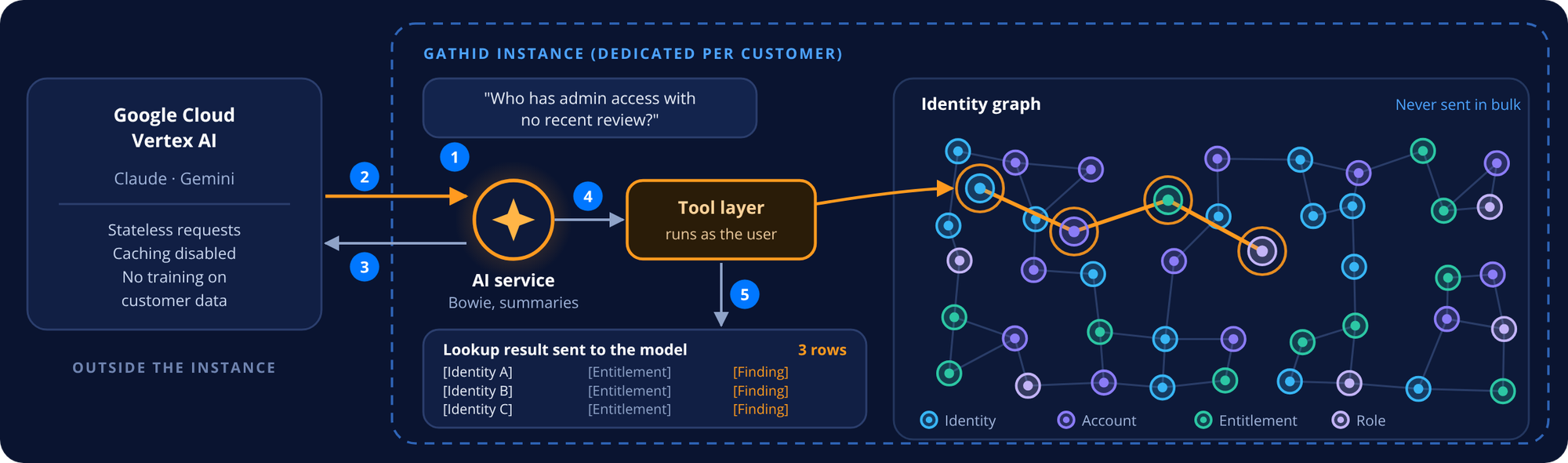
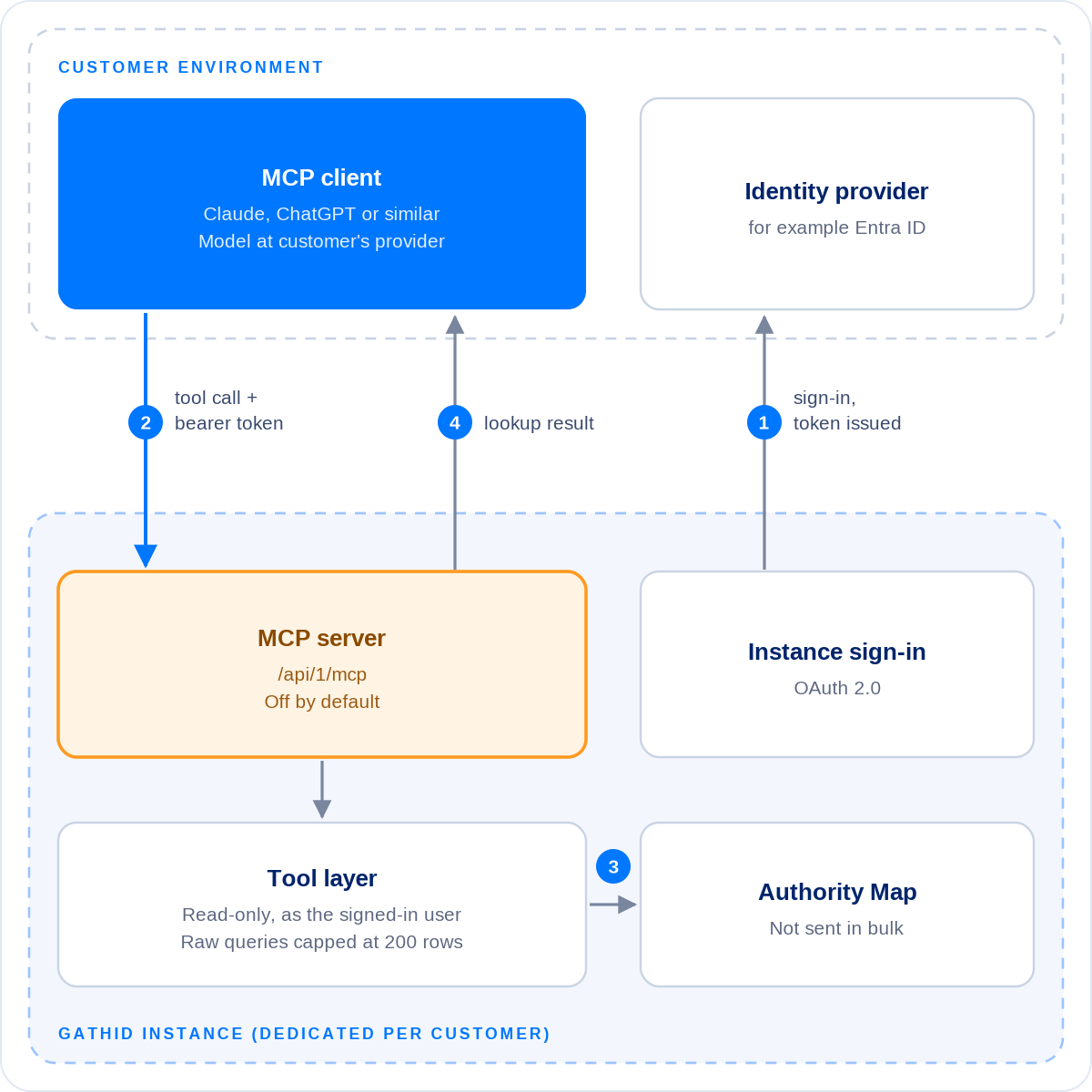
Gathid AI never hands a model your Authority Map. The model asks for specific data, Gathid looks it up inside your instance under the requesting person's own permissions, and only that result goes back. This page sets out how, for the people who will be asked to sign it off.
Two ways AI reaches the Authority Map
There are two routes, and they share one set of controls. Both go through the same Gathid tool layer and the same server-side authorization as the Gathid interface. Neither transfers the Authority Map in bulk.
Gathid AI, inside the product. The AI assistant, AI summaries on dashboards and reports, and natural-language report building. Your Gathid instance calls the model, which runs on Google Cloud Vertex AI under Gathid's Google Cloud agreement.
Your own assistant, through MCP. Claude, MS Copilot, ChatGPT or another client that supports the Model Context Protocol connects to the Gathid MCP server. Your assistant calls Gathid, and the model runs at the provider you chose, under your organization's agreement with them. Gathid calls no model on this route.
How a question is answered

User asks Question
Either via their MCP, or in their Gathid app NQL via Bowie, Explore or on a Summary.

Traverse Model
The Question and Gathid's fixed instructions are processed to prepare the specific request.

Run Request
Gathid runs the request within your model, as the signed-in user leveraging RBAC mechanisms in place.

Results
The loop has a fixed upper limit, and then the answer is returned to the user. Able to be rerun on future models without further tokens.